
HVAC invoicing and billing software, with job costing built in.
Estimates with deposits, invoices that go out when the job is done, card and ACH payments, and profit per install — built for HVAC companies, from $59/month.
No credit card required · All features included · Cancel anytime
I run a service business myself. I built ValLedger because every service business hits the same wall.
I own a cleaning company, and I was tired of juggling one app for quotes, another for invoicing, a spreadsheet for the books, and a “starter” plan that gated half the features I needed. HVAC companies deal with a version of the same problem, just with higher stakes: job costing that doesn't track real parts-and-labor margins, subcontractor tracking bolted on as an upsell, and QuickBooks sync locked behind a premium tier. So I built ValLedger for service businesses broadly, not just mine.
Everything an HVAC company needs to run its day
Lead capture that auto-replies instantly
A public form drops every inquiry into a NEW → CONTACTED → QUOTED → WON pipeline and sends the lead an instant acknowledgment before they can book a competitor for an emergency repair.
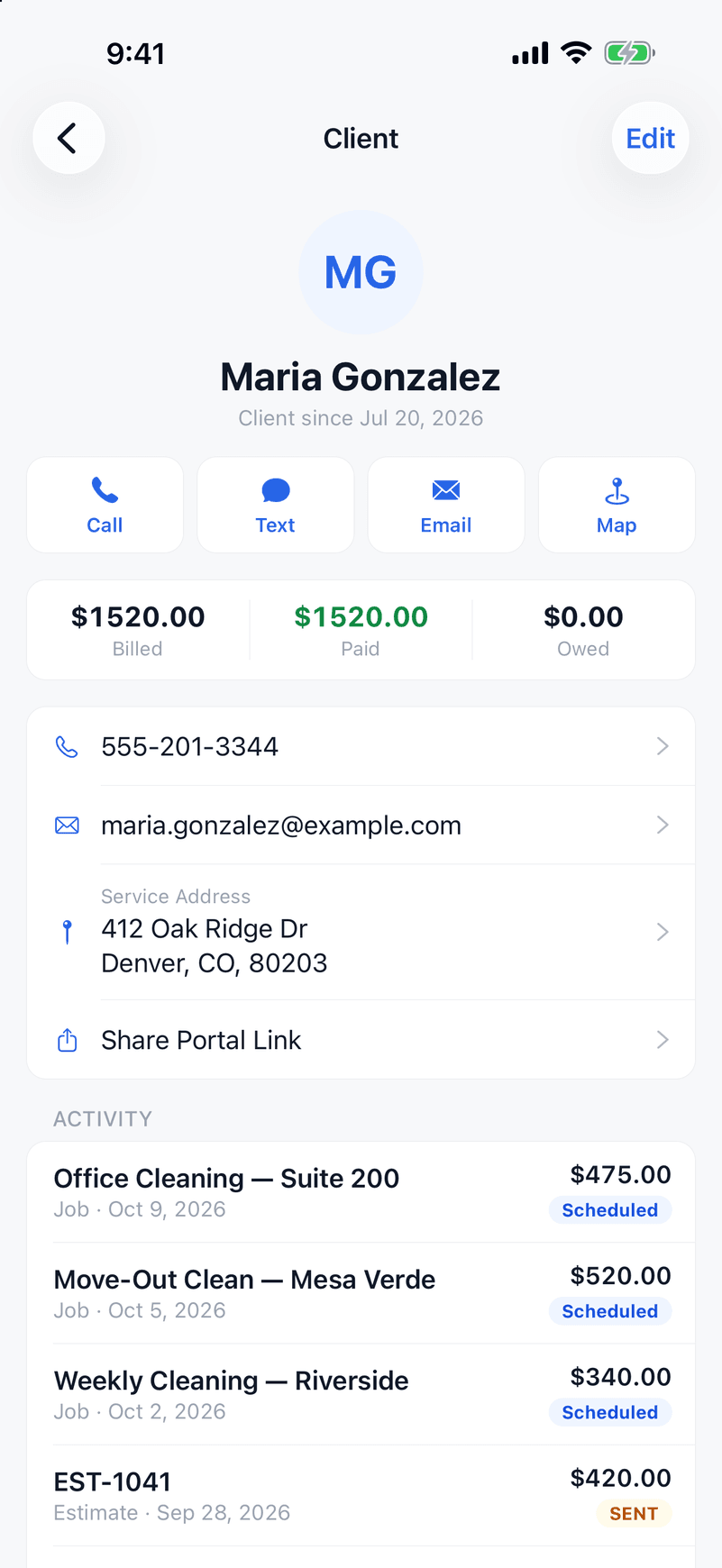
Real estimates for installs, not just repairs
Build a detailed, itemized estimate for a system install or a same-day repair from your phone. Clients approve online — no printing, no chasing signatures on a bigger-ticket job.
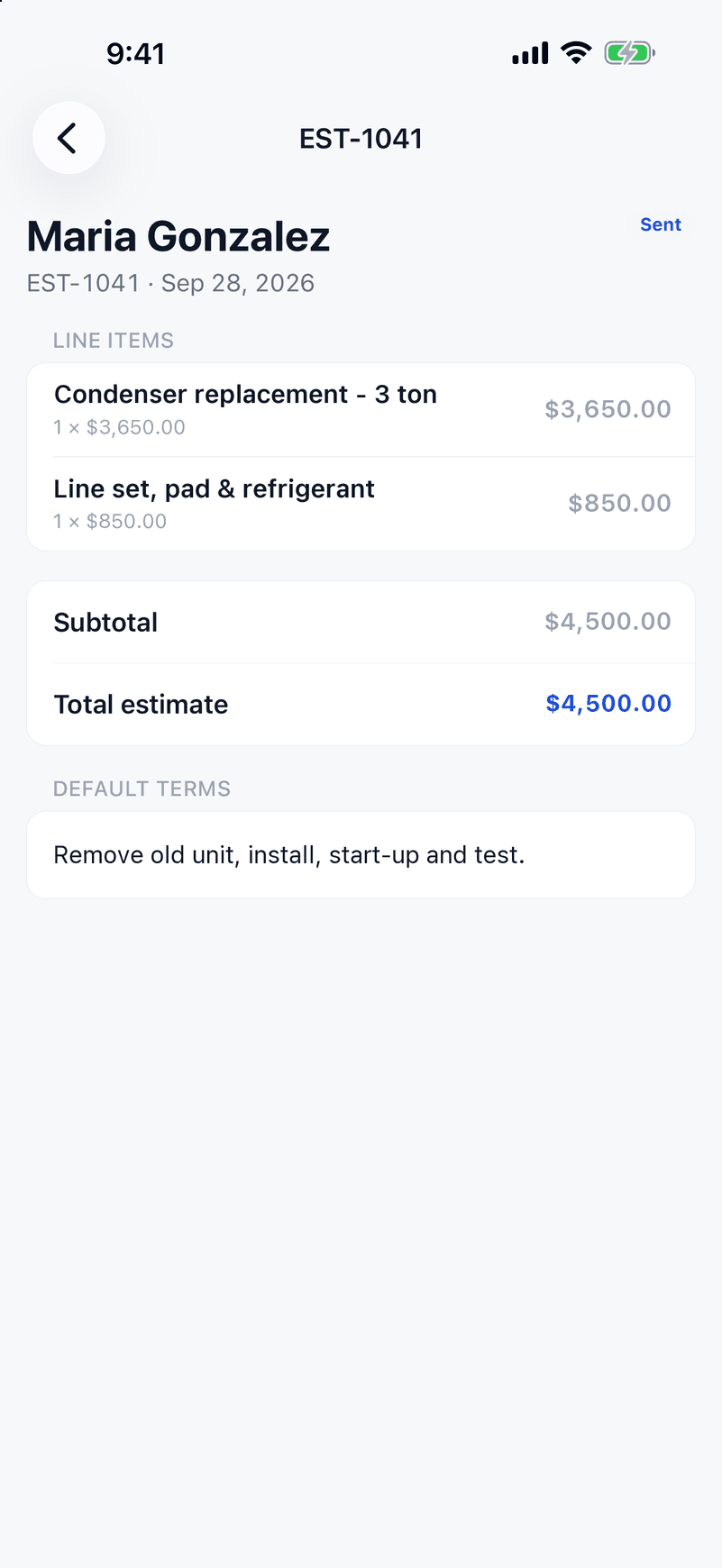
Job costing that protects your margins
Link parts and labor costs to a job and see real profitability per install or service call — margins on equipment can move fast, and guessing isn't a plan.
1099 subcontractor tracking, included
Track payments to subs, calculate 1099 thresholds, and export data for your accountant — on every plan, not an add-on tier.
QuickBooks sync for your accountant
Push invoices and payments to QuickBooks automatically — no re-keying numbers into two systems every month.
A client portal for bigger-ticket approvals
Clients view estimates, approve installs, and pay online — branded to your business, no login required for them. Built for jobs where a phone call approval isn't enough of a paper trail.
Invoicing with Stripe built in
Auto-send an invoice the moment a job's marked complete. Cards and ACH accepted, overdue reminders sent automatically.
GPS clock-in for techs in the field
Techs clock in and out at the job site. Those hours roll into the week's timesheet you approve, then into a payroll-ready pay run — no more guessing how long a service call actually took.
How an HVAC job gets billed in ValLedger
From the estimate to the money in your account, here is the path one install takes. Service calls follow the same steps, just faster.
- 1
Price the install with your costs on it
Build an itemized estimate from your price book, then add what you expect to spend on the equipment, parts and labor. ValLedger shows the estimated profit and margin before you send it, so a $9,000 changeout doesn't quietly turn into a $400 job.
- 2
Collect the deposit and the signature together
Require a deposit as a percentage or a fixed amount. The homeowner opens the estimate on their phone, signs it, and pays the deposit by card or bank transfer. You can see when they opened it, so you know when to call.
- 3
Track what the job really costs
Techs clock in with GPS at the address. Log parts and other expenses against the job as they happen. Add a checklist (startup readings, filter, condensate line) and require it before the job can be marked complete.
- 4
Invoice from the job, not from memory
Turn the finished job into an invoice in one tap, or have it created and sent automatically when the job is marked complete.
- 5
Get paid, then hand the books off
Clients pay by card or ACH through your own Stripe account, and partial payments are fine. Overdue reminders go out by email on their own. Invoices, payments and expenses sync to QuickBooks Online.
- 6
See profit per install and per service call
Job costing compares what you billed against what you spent, job by job, so you can see which installs, brands or call types actually make money.
Questions owners ask
- Can I take a deposit on an install before ordering equipment?
- Yes. Set a deposit as a percentage or a fixed dollar amount on the estimate. The client pays it online when they approve and sign.
- Does it handle maintenance agreements?
- Partly. You can price an agreement as a flat amount billed yearly, quarterly or monthly. Repeating visits can be scheduled weekly, every two weeks or monthly, so twice-a-year tune-ups are scheduled as two jobs rather than one automatic series.
- Does it track equipment, serial numbers or inventory?
- No. There is no equipment history, serial number tracking or parts inventory. You can log parts as job expenses for costing, but if you need a full equipment database, a larger HVAC-specific system is a better fit.
- Can I offer customer financing?
- Not built in. Clients pay by card or bank transfer (ACH) through Stripe. If you use a financing partner, you would record that payment manually.
- Do my techs need an iPhone?
- The field app is on iPhone. There is no Android app yet. Everything else runs in a web browser on a computer.
- Are reminders sent by text?
- No. Invoice reminders and estimate follow-ups are sent by email.
- What does it cost?
- Starter is $59/month for up to 5 users, Growth is $139/month for up to 15, and Business is $249/month for unlimited users. Every plan has every feature, including job costing, 1099 subcontractor tracking and QuickBooks sync. There is a 14-day free trial with no credit card.
Job costing and routing without Jobber's Grow plan.
Jobber puts job costing on Grow, from $149/month, and has no 1099 subcontractor tracking at any price. ValLedger includes both on every plan — $59/month with up to 5 users included.
See the full comparisonRun your HVAC company on ValLedger.
Try it free for 14 days.
Start Your Free TrialNo credit card required · Every feature included · Cancel anytime