
Contractor invoicing software with job costing built in.
Estimates with deposits, 1099 subcontractor tracking, and QuickBooks sync — built for general contractors, from $59/month.
No credit card required · All features included · Cancel anytime
I run a service business myself. I built ValLedger because every service business hits the same wall.
I own a cleaning company, and I was tired of juggling one app for quotes, another for invoicing, a spreadsheet for the books, and a “starter” plan that gated half the features I needed. General contractors deal with a much higher-stakes version of the same problem — job costing that doesn't track real margins across subs and materials, subcontractor management bolted on as an afterthought. So I built ValLedger for service businesses broadly, not just mine.
Everything a general contractor needs to run a job
Lead capture that auto-replies instantly
A public form drops every inquiry into a NEW → CONTACTED → QUOTED → WON pipeline and sends the lead an instant acknowledgment before they can book a competitor.
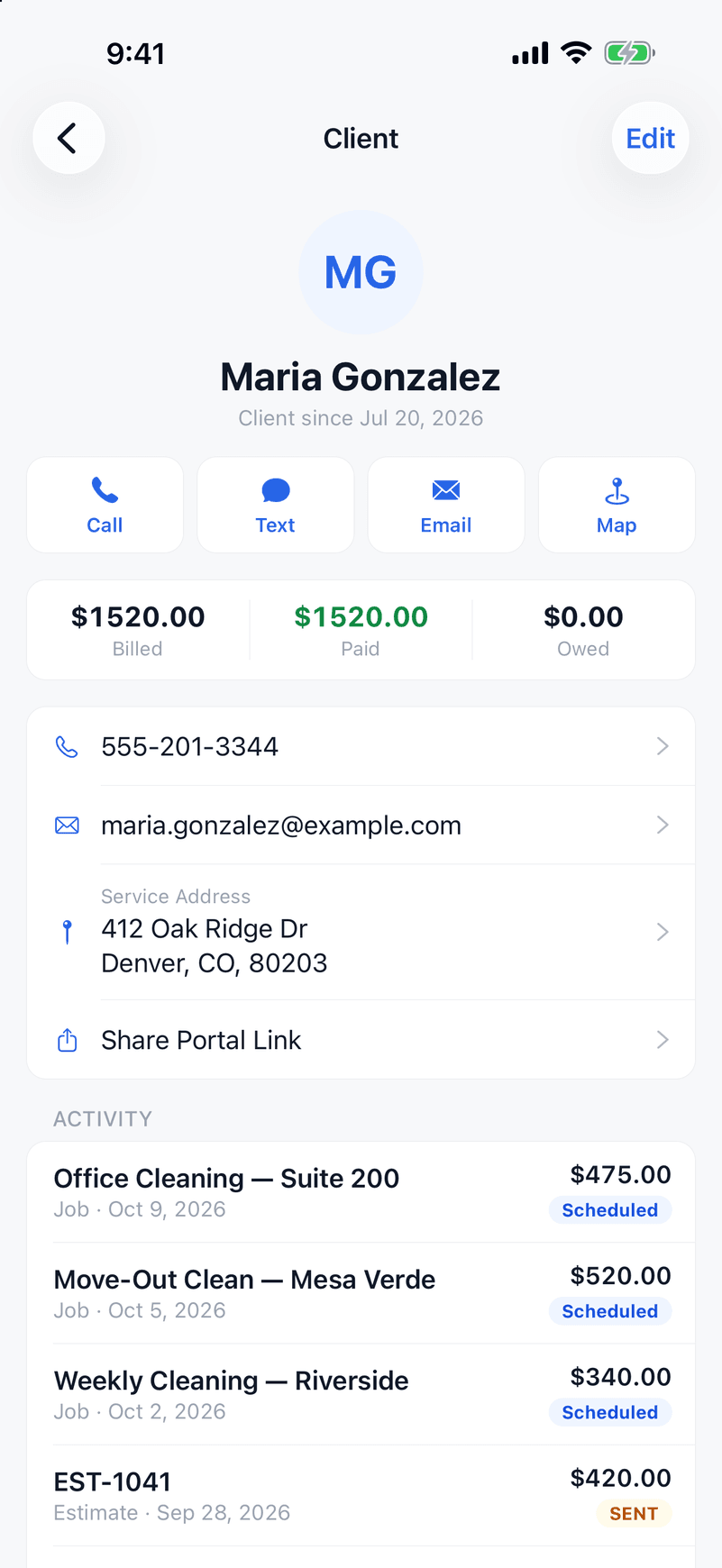
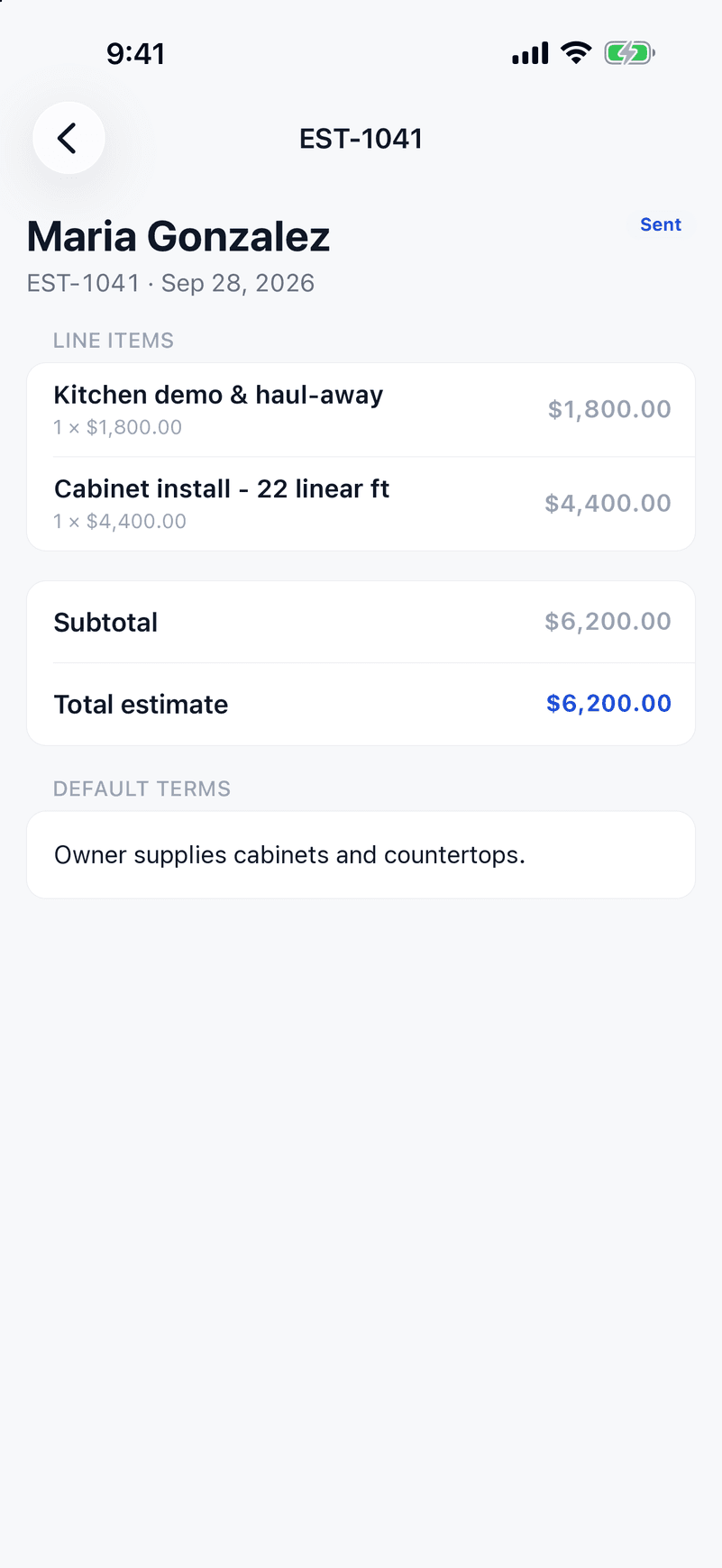
Detailed estimates that look the part
Build a real, itemized estimate for a project — not a rounded number on a text message. Clients approve online, with a clear paper trail on every job.
Job costing that protects thin margins
Link materials, labor, and subcontractor costs to a job and see real profitability per project — the single most important number a general contractor can actually see in real time.
1099 subcontractor tracking, included
Track payments to every sub on a job, calculate 1099 thresholds, and export data for your accountant at year-end — on every plan, not an add-on tier.
QuickBooks sync for your accountant
Push invoices and payments to QuickBooks automatically — no re-keying numbers into two systems every month.
A client portal with a paper trail
Clients view estimates and invoices, approve estimates, and pay online — branded to your business, with a clean record of what was approved and when.
Invoicing with Stripe built in
Collect a deposit on approval, then invoice as the work moves. Cards and ACH accepted, overdue reminders sent automatically.
How a contracting job gets billed in ValLedger
From the estimate to the 1099s in January, here is the path one job takes.
- 1
Estimate with your costs on it
Build an itemized estimate from your price book and add the material, labor and sub costs you expect. ValLedger shows the estimated profit and margin before you send it.
- 2
Signature and deposit in one step
The client signs the estimate online and pays the deposit, as a percentage or a fixed amount, by card or bank transfer. You can see when they opened it.
- 3
Track costs while the job runs
Log material receipts by photo, record what you pay subcontractors, and have your crew clock in with GPS. Every cost lands on the job as it happens.
- 4
Invoice and collect
Turn the job into an invoice, accept card or ACH through your own Stripe account, and take partial payments as the client pays. Overdue reminders go out by email.
- 5
Keep your subs ready for January
Each subcontractor's payments add up through the year. Collect W-9s, see who crosses the 1099 threshold, and generate 1099-NEC forms for your accountant. Full tax ID numbers stay hidden unless the owner turns on two-step sign-in.
- 6
Hand the books to your accountant
Invoices, payments and expenses sync to QuickBooks Online, and job costing shows what each job actually made.
Questions owners ask
- Does it handle change orders?
- Not as a separate feature. Send a new estimate for the added work and the client approves and signs it the same way, which keeps a paper trail for each change.
- Can I bill in stages or hold retainage?
- There is no progress billing or retainage. You can take a deposit up front and record partial payments against an invoice, but staged draw schedules are not built in.
- How does 1099 subcontractor tracking work?
- Record each payment to a sub, store their W-9, and ValLedger totals what you paid them for the year, flags who is over the 1099 threshold, and generates 1099-NEC forms. Check the final filing with your accountant.
- Does it sync with QuickBooks?
- Yes. Invoices, payments and expenses sync to QuickBooks Online on every plan.
- Can I scan material receipts?
- Yes. Photograph a receipt and ValLedger reads it into an expense you can attach to the job.
- Does my crew need an iPhone?
- The field app is on iPhone. There is no Android app yet. The office side runs in a web browser.
- What does it cost?
- Starter is $59/month for up to 5 users, Growth is $139/month for up to 15, and Business is $249/month for unlimited users. Every plan has every feature. There is a 14-day free trial with no credit card.
Job costing and routing without Jobber's Grow plan.
Jobber puts job costing on Grow, from $149/month, and has no 1099 subcontractor tracking at any price. ValLedger includes both on every plan — $59/month with up to 5 users included.
See the full comparisonRun your contracting business on ValLedger.
Try it free for 14 days.
Start Your Free TrialNo credit card required · Every feature included · Cancel anytime