
Every feature. Every plan.
The complete list — nothing gated, nothing upsold. The only thing a bigger plan buys is more seats.
Quote to cash
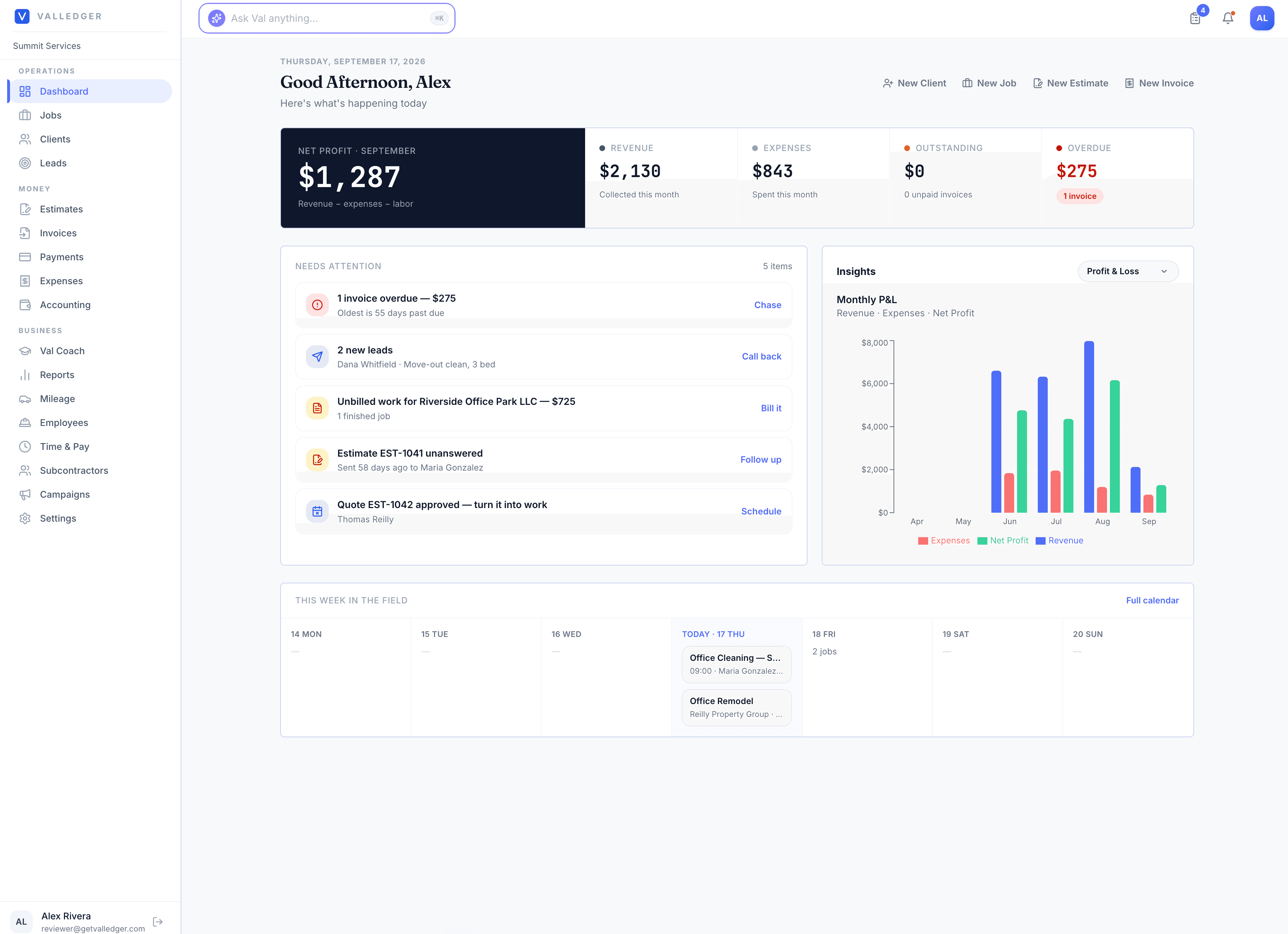
Lead Capture & Pipeline
Public capture form, lead statuses, and one-click conversion to estimate.
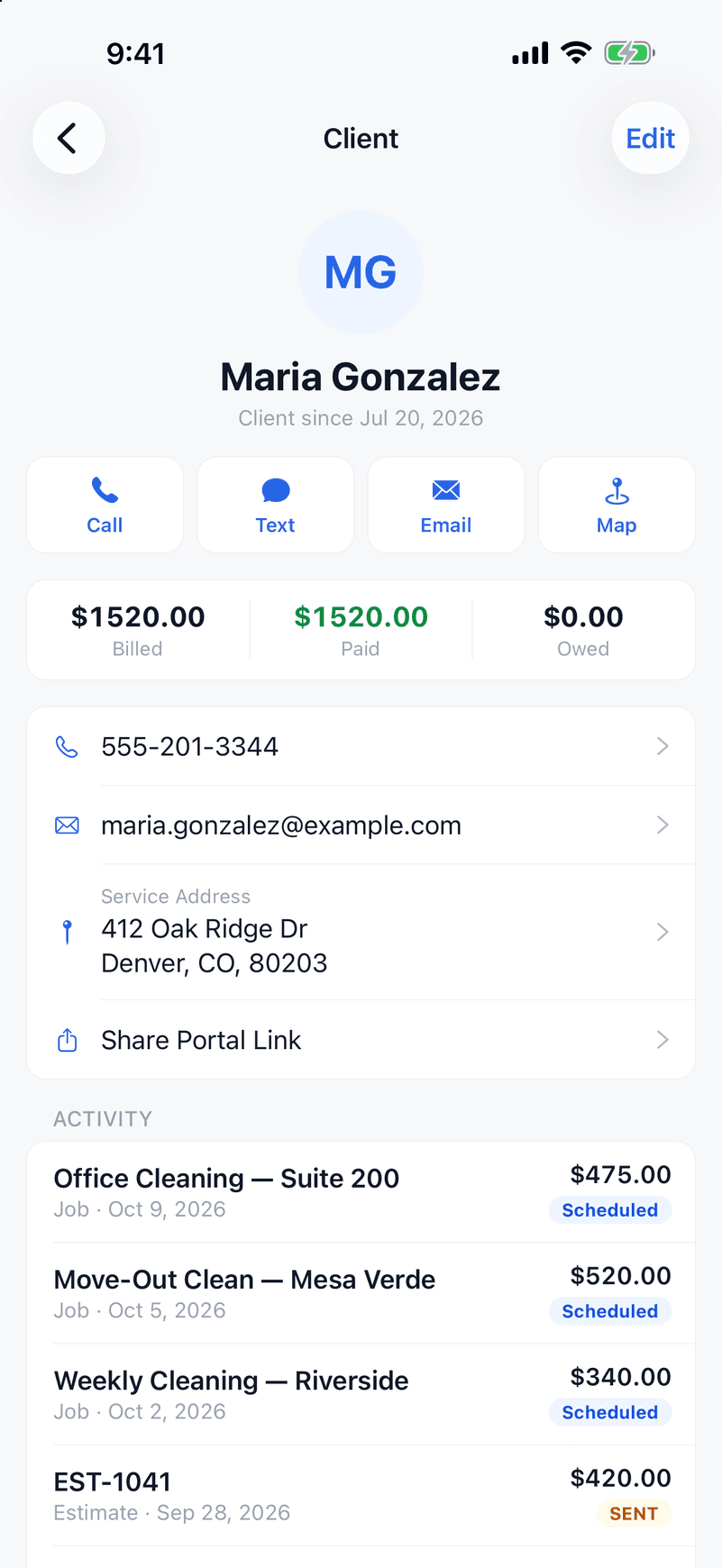
Smart Estimates & Price Book
Reusable line items from your price book. Clients approve online.
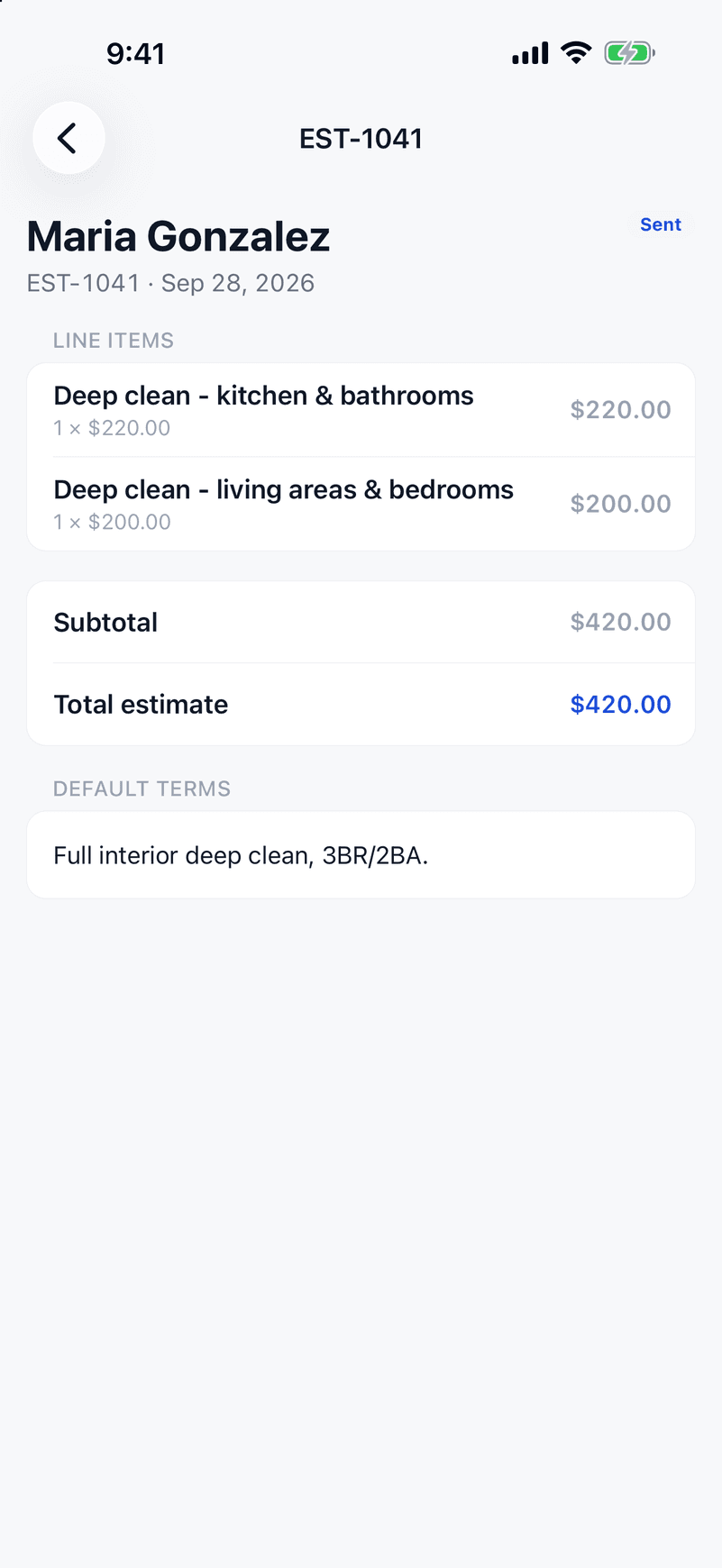
Invoicing & Payments
Stripe cards + ACH. Auto-send on job completion. Overdue follow-ups.
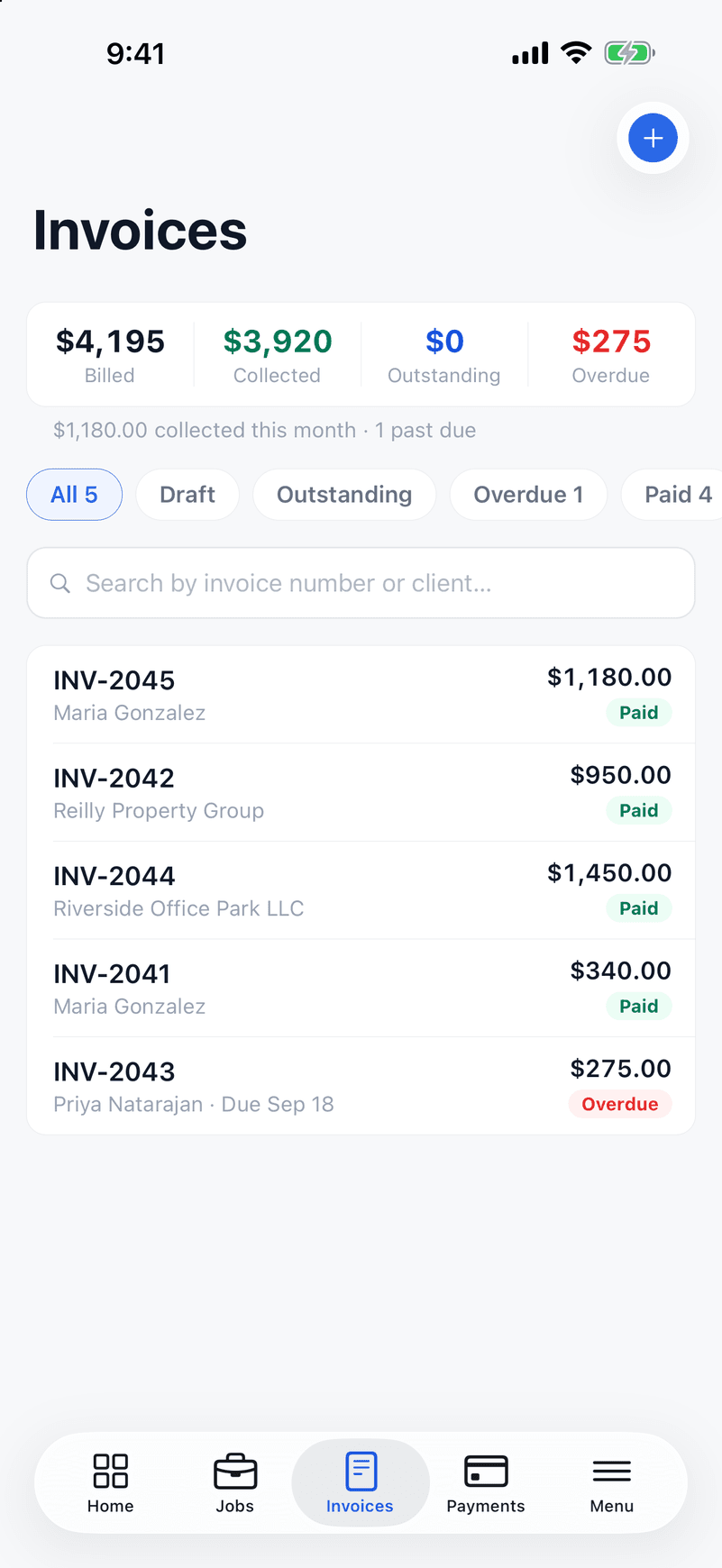
Client Portal
Branded to your business. Clients view invoices and pay in one tap.
Online Booking
Turn it on in Settings and clients request a date, or pick an open time slot, from their client portal. You confirm it and it becomes a job on your schedule.
Jobs & field operations
Jobs & Scheduling
Calendar and list views. Crew assignments. Recurring jobs on autopilot.
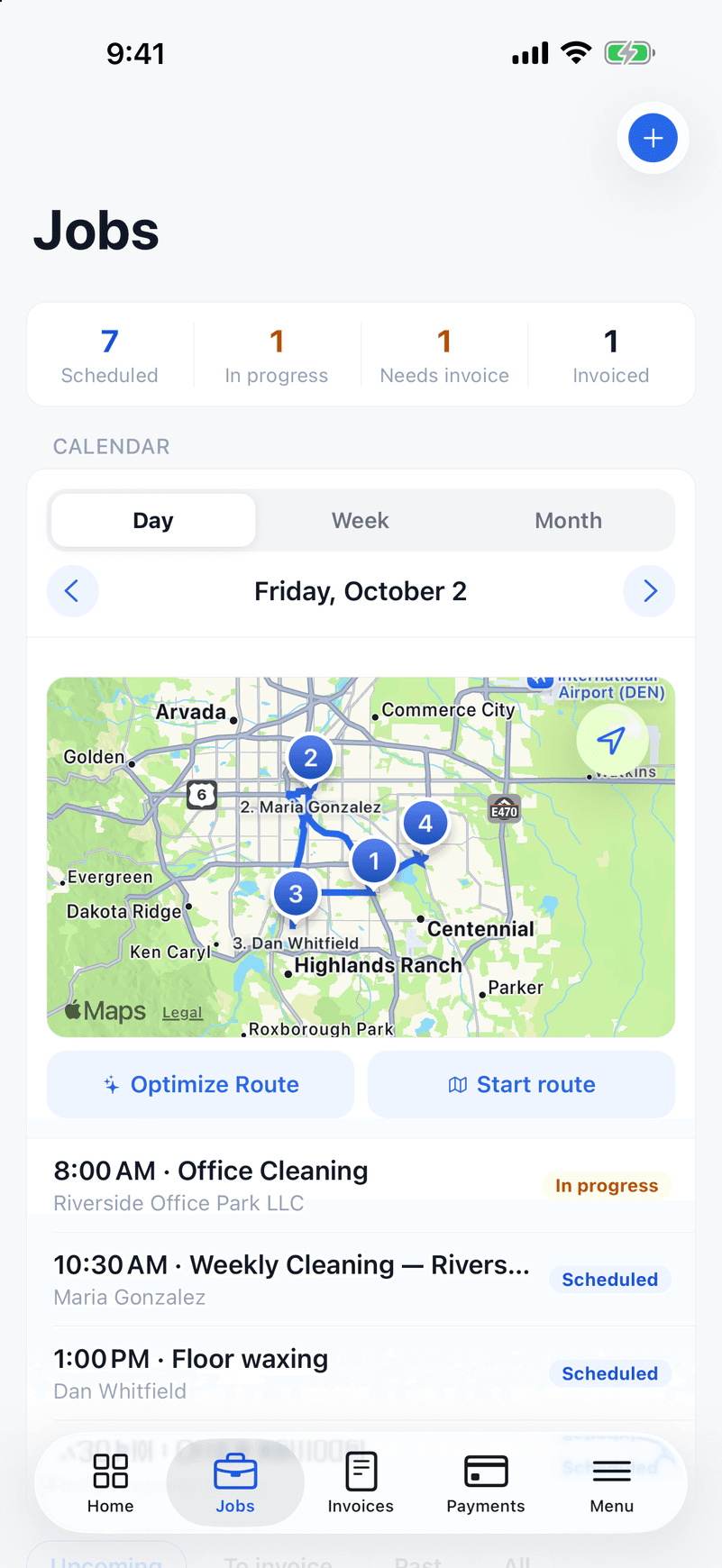
Smart Route Optimization
Tap Optimize and ValLedger sequences the day's jobs into the shortest drive. Your crew sees the route on their phone and navigates with one tap — included on every plan, not locked behind a premium tier.
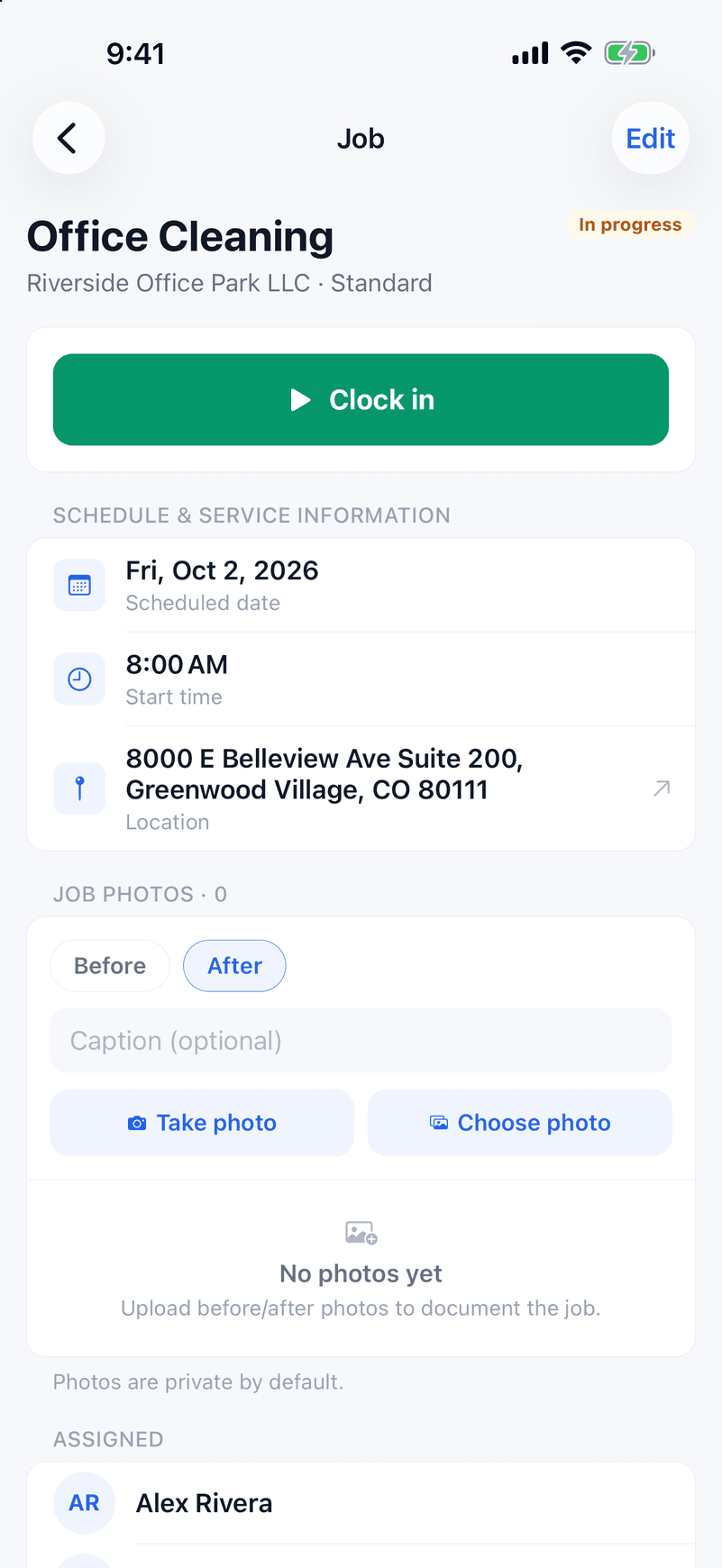
GPS Geo-Fence Clock-In
Crews clock in and out right from the job site. GPS geo-fencing confirms they were actually there — accurate hours, no guesswork.
Timesheets & Pay Runs
Clocked hours roll into a weekly timesheet per employee, with overtime figured by your state's rule — federal, Colorado, California (including double time), or over 8 hours a day — set in Settings → Payments. Approve the week, then build a pay run: per-job and per-visit pay get the overtime premium too, and it exports as CSV or PDF for whoever runs your payroll.
Recurring Jobs
Set a job to repeat weekly, biweekly, or monthly and it schedules itself, with the same crew assigned to every visit.
Money & books
Expense Tracking & Job Costing
Capture receipts. Link expenses to jobs. See true per-job profit.
Subcontractors & 1099 Reports
Track TINs, year-to-date pay, and export 1099-ready CSV in January.
QuickBooks Online Sync
Invoices, payments, and expenses push to QuickBooks Online automatically. No re-keying, no double entry.
Reports & Accountant Export
Revenue, expenses, and per-job profit in clear reports — with accountant-ready CSV exports at tax time.
Work smarter
AI Command Bar (Val)
Ask in plain English — Val reads your numbers, creates quotes and invoices, and sends overdue reminders for you.
Email Campaigns
Send branded announcements, seasonal offers, and re-engagement emails to your client list — right from ValLedger.
Automatic Review Requests
Add your Google review link and ValLedger emails it to a client about a day after they pay an invoice — at most once per client every 90 days. More reviews without lifting a finger.
All of it, from $59/month.
Every feature on every plan. Try it free for 14 days.
Start Your Free TrialNo credit card required · Every feature included · Cancel anytime