
Most advice about getting paid on time starts at the reminder email. By then you're already behind. Whether a client pays on time is mostly decided before the job: what they agreed to, what they paid up front, and how easy you made paying.
I run a cleaning company, and chasing invoices by hand was the chore that got me to build invoicing software in the first place. This is the system I'd hand to anyone running a service business, in the order it actually happens: before the job, the day of the job, and after the due date passes. The reminder templates are in the middle, ready to copy.
Before the job: get the terms agreed in writing
A late payment is often a disagreement about terms that nobody had out loud. The client thought "due" meant "when I get around to it." You thought it meant Friday. Fix that before you show up.
Put these in the estimate or agreement the client approves, not just on the invoice:
- When payment is due. "Due on receipt" or "due within 7 days" for homeowners. Net 30 is a commercial habit, and residential clients tend to read it as "sometime next month."
- How they can pay. Card, bank transfer, check, whatever you accept. Name them.
- The deposit, if there is one. Amount, and when it's due.
- What happens if they're late. A late fee if you charge one (more on that below), and whether you pause recurring service on unpaid accounts.
Then, when you send a reminder later, you're pointing at something they already agreed to, not inventing a rule on the spot.
Take a deposit on anything big
A deposit covers your materials and labor so you're not floating the client's project on your own cash, and it filters out people who weren't serious.
There's no universal right percentage. It depends on your trade and how much you spend before the job starts. Pick a percentage or a fixed amount, put it in your estimate, and use it consistently. For small recurring work, like a weekly cleaning, a deposit usually doesn't make sense. The tools there are prompt invoicing and a saved payment method.
Invoice the same day the work is done
This is the cheapest fix on the list. An invoice sent the evening of the job arrives while the client can still see the clean kitchen or the new patio. Every day you wait to invoice is a day added to when you get paid, before the client has even had a chance to be late.
Two things make same-day invoicing realistic:
- Send from your phone, from the job. If invoicing means sitting at a laptop, it'll slip. I wrote up sending quotes and invoices from your phone separately.
- Itemize so there's nothing to question. A vague invoice invites a "what's this for?" email that adds days. The landscaping invoice template covers line-item wording for any trade.
Make paying you take one click
If paying you means finding a checkbook or logging in to bill pay, some clients will put it off until the weekend, and then the weekend after. A pay button on the invoice removes that.
You're mostly choosing between card and bank payment (ACH). Here's the honest tradeoff, using Stripe's numbers since that's what a lot of field service software runs on:
| Card | ACH bank debit | |
|---|---|---|
| Stripe's standard US fee | 2.9% + 30¢ per successful domestic card charge | 0.8%, capped at $5.00 |
| Confirmation | At checkout | Can take up to 4 business days to confirm success or failure |
| Fee on a $1,000 invoice | $29.30 | $5.00 |
| Client effort | Type a card number | Link a bank account |
Fees are from stripe.com/pricing and the ACH timing is from Stripe's ACH Direct Debit documentation, both checked October 2026. Pricing changes, so check Stripe's current pricing before you base decisions on it.
My take: offer both. Card is what most people reach for, and it confirms right away. ACH is much cheaper on large invoices because of the cap.
Some businesses pass processing fees on to the client. You can, but rules about card surcharges vary by state and by card network, so look up yours before adding a fee line.
Card on file for recurring clients
For weekly or biweekly clients, the smoothest setup is a saved card the client authorized you to charge for each visit's invoice. No invoice sitting unpaid, no reminders, no awkwardness.
Do it properly: get written consent that says who can charge the card, for what, and roughly how much. Send the invoice before or when you charge it so nothing is a surprise, and make it easy for the client to remove the card. Charges a client didn't expect turn into disputes, and a dispute costs you more than a late payment.
Reminders: the cadence and the wording
Most late invoices aren't disputes. The email got buried, or the client meant to pay and forgot. A reminder fixes that, as long as it actually gets sent, every time, on schedule.
A cadence that works without being pushy:
- A few days after sending: a friendly nudge with the pay link.
- About a week after sending: a slightly firmer note.
- On or just after the due date: a direct "this is now past due."
- Then every week or two until you move to the 30/60/90 steps below.
Here are templates you can copy. Swap in your details. Keep them short, keep the pay link in every one, and send them from an address the client can reply to.
Template 1: friendly nudge (a few days after sending)
Subject: Invoice [number] from [your business]
Hi [client name],
Just a quick note that Invoice [number] for [amount] went out on [date]. You can pay online here: [link]
Thanks again for having us out. Reply here if you have any questions about it.
[Your name]
Template 2: firmer follow-up (about a week after sending)
Subject: Reminder: Invoice [number] for [amount]
Hi [client name],
Following up on Invoice [number] for [amount], sent [date] and due [due date]. Here's the link to pay: [link]
If you've already sent payment, thank you, and please ignore this. If something on the invoice doesn't look right, reply and I'll sort it out.
[Your name]
Template 3: past due (on or after the due date)
Subject: Past due: Invoice [number] from [your business]
Hi [client name],
Invoice [number] for [amount] was due on [due date] and is now past due. Please pay at your earliest convenience here: [link]
If there's a problem with the invoice or with paying it right now, let me know and we can work something out. I'd much rather hear from you than keep sending reminders.
[Your name]
Template 4: final notice (around 30 days past due)
Subject: Final notice: Invoice [number], [amount] past due
Hi [client name],
Invoice [number] for [amount] is now [X] days past due. I've sent a few reminders and haven't heard back.
Please pay by [specific date, about 7 days out] here: [link]. If I don't hear from you by then, [the next step from your agreement: we'll pause service / late fees will apply as agreed / I'll pursue other collection options].
If you need a payment plan, reply and we'll set one up.
[Your name]
Two wording rules. Always include the amount, the invoice number and the link, so nobody has to go looking for the original. And give the client an easy out before the final notice ("if something doesn't look right, reply"). Sometimes the invoice really is wrong, and you want to hear that on day 7, not day 60.
Sending these by hand is where the system breaks. You'll do it for a week, then you'll get busy. That's why automated invoice reminders are usually the first thing worth paying for in this kind of software, and that article covers which tools include them on which plans.
Late fees: only if they're in the agreement
A late fee works when it's in the agreement the client approved before the work and you actually charge it. When it shows up for the first time on a past-due invoice, it reads as a penalty you made up, and you end up arguing about the fee instead of collecting the bill.
If you use one:
- Put the amount or rate and the grace period in your agreement, in plain language.
- Keep it reasonable. States limit how much interest and how many late charges you can collect, and the limits vary, so check your state's rules or ask an attorney before you pick a number.
- Apply it consistently. A late fee you threaten and never charge teaches clients your due dates are soft.
Skipping late fees entirely and relying on prompt invoicing and steady reminders is also a legitimate choice. The worst option is a fee that exists only on paper.
What to do at 30, 60 and 90 days
At 30 days past due: stop relying on email alone. Call or text. A short, polite conversation often turns up the real reason, like a lost invoice, a disputed line item or a cash-flow problem. Send the final notice (Template 4) with a specific date. Offer a payment plan if they need one, and put the plan in writing.
At 60 days: for recurring clients, pause service until the account is current, if your agreement allows it. Don't book them on the schedule as if nothing happened. Send a written demand letter: amount owed, what it's for, a pay-by date, and what you'll do next. Keep copies of everything.
At 90 days: decide whether it's worth pursuing. Your options are writing it off, handing it to a collection agency (they keep a share of what they recover), or small claims court. Whatever you pick, decide it on purpose instead of letting it sit forever.
When to stop work
Stop scheduling new work for a client once an invoice is clearly overdue and they're not responding. Showing up anyway just grows a balance you might never collect. On a multi-day project, if an agreed progress payment doesn't arrive, pausing until it does is reasonable. Tell the client in writing first, and point to the terms they agreed to.
Small claims as the last resort
Small claims court is designed for people to use without a lawyer. Each state sets its own dollar limit, filing fees and process, so start with your state or county court's website. Bring the signed estimate or agreement, the invoice, your reminder history and anything showing the work was done, like photos, a completed job record or time entries.
Winning doesn't guarantee you collect, which is why everything before the 90-day mark matters more. I'm a business owner, not a lawyer, so for anything large or contested, spend the hour with an attorney.
How ValLedger handles this
Before the job. Estimates can require a deposit, as a percentage or a fixed amount. The client pays it online from their portal, and the estimate is marked approved when the deposit comes through. You can set a default due date for invoices: due on receipt, or net 7, 14, 15 or 30.
Same-day invoicing. You can turn on a setting that creates an invoice automatically when a job is marked complete, and optionally sends it too. Otherwise you build and send invoices from the web app or the iPhone app.
Paying. Every invoice links to the client's portal, where they can pay by card through Stripe. You can also turn on bank (ACH) payments if Stripe has enabled them on your account. Stripe's fees apply. ValLedger doesn't add its own percentage on top. You can choose to pass the processing fee to the client, and you can let clients add a tip when they pay online. Both are off unless you turn them on. Payments you take outside the portal, like cash, checks, Zelle or Venmo, can be recorded against the invoice with the method, so your numbers stay right.
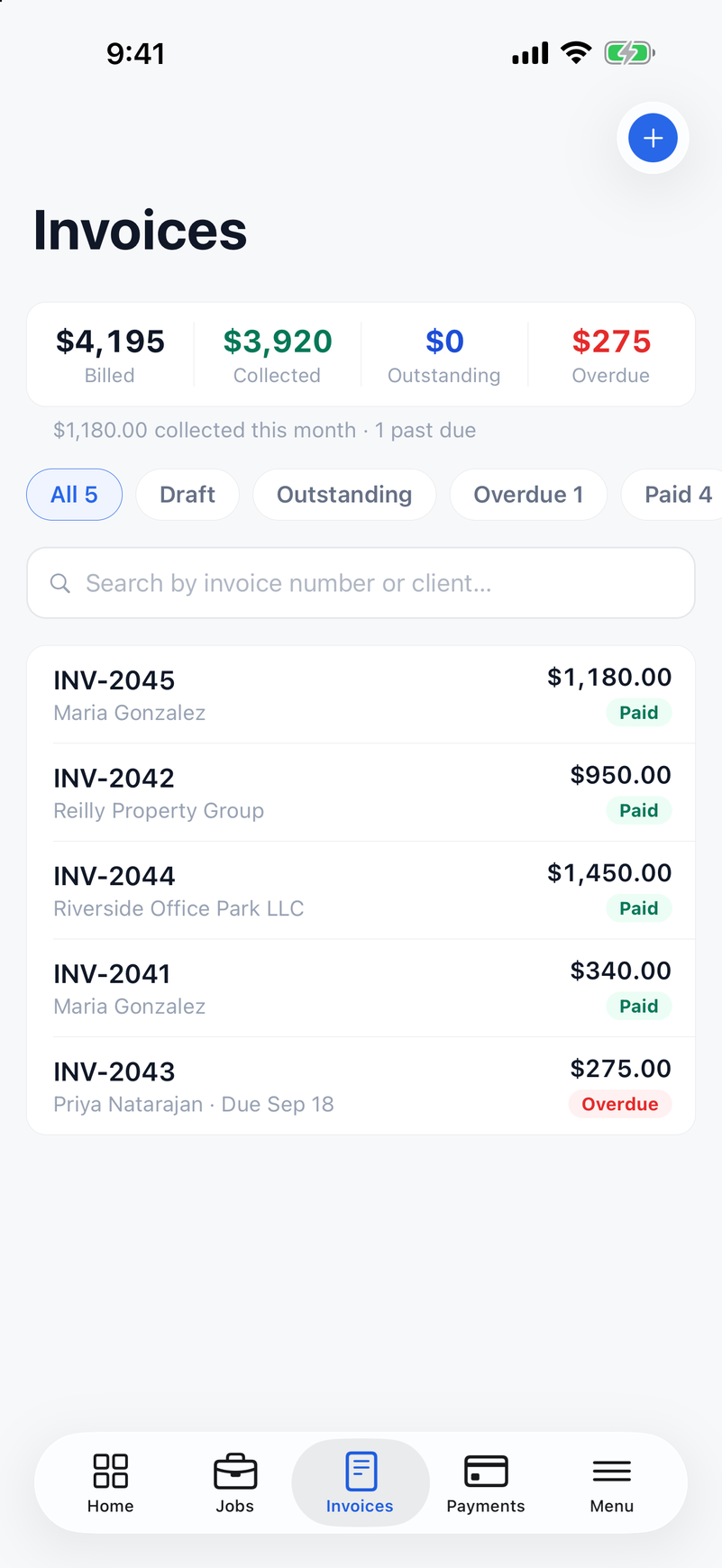
Knowing where it stands. Each invoice shows whether the client has opened it in the portal, how many times, and when they last did. Your own previews don't count. The Invoices screen totals what's billed, collected, outstanding and overdue.
Reminders. Turn on the overdue reminder automation in Settings, under Automations, and reminder emails go out on their own. The first goes about three days after the invoice is sent, the next about seven days after, and another once it's past the due date. At that point the invoice is marked Overdue and you get a notification. You can edit the wording of each one. Invoices you marked as handed over by hand aren't emailed.
After payment. The client gets a receipt email automatically, whether they paid online or you marked the invoice paid. You can turn that off. Clients can also download a yearly statement from their portal listing their invoices and payments, which helps at tax time.
The short version
Agree on terms before the job, take a deposit on big work, invoice the same day, and put a pay button on every invoice. Send reminders on a schedule. Call at 30 days, pause at 60, decide at 90.
None of that needs software, but the reminders are the part that breaks first when you get busy. If you'd rather the system send them, try ValLedger free for 14 days, no credit card required. Send yourself an invoice due yesterday, turn on reminders, and see what happens without you.