
Payroll is the one bill in a cleaning or landscaping business where being wrong costs you twice. Underpay someone and you've broken a trust you can't buy back, and possibly a wage law. Overpay and the money is just gone, because nobody calls their boss to report a padded timesheet.
I run a cleaning company and I build the software my crew clocks in on. This is the practical version: what goes wrong with the usual methods, how GPS clock-in works and what it can't do, the common ways to pay field crews, and how approved hours become a recorded pay day.
I'm a business owner, not an employment lawyer or payroll accountant. Where this touches wage law I'll keep it general and link the official sources. Check your own state's rules, and talk to an accountant before you change how you pay people.
What goes wrong with paper and text-message timesheets
Most small crews start the same way: a paper sheet in the van, or everyone texts the owner "in 8:05" and "out 3:40." Both work while you have two people. Both break in predictable ways as you grow.
- Times get written after the fact. A sheet filled out on Friday from memory is an estimate, and estimates round in one direction.
- Text threads aren't records. Hours live in five conversations, mixed in with gate codes. Adding them up is a Sunday-night job, and it's where the mistakes happen.
- Nothing ties the hours to a job. You know someone worked seven hours on Tuesday, not how many were at the client you suspect you underpriced.
- There's no clean way to fix a mistake. You cross it out or reply "actually 3:15," and two weeks later nobody remembers which version was right.
- The record you're supposed to keep doesn't exist. The federal Fair Labor Standards Act requires employers to keep a record of hours worked each workday and total hours each workweek for non-exempt employees, and the Department of Labor says time cards should be kept for at least two years and payroll records for at least three (DOL Fact Sheet #21). A text thread on your phone is a weak version of that.
How GPS clock-in works, and where it falls short
The idea behind a GPS time clock is simple. When a crew member taps clock in, the phone takes a location reading, and the system checks how far that reading is from the job's address. Close enough and the clock-in goes through. Too far and it's refused. The distance limit around the address is often called a geofence.
That stops clocking in from the driveway at home or the gas station down the road. It has limits worth knowing before you rely on it.
GPS drift is real
Phone location is an estimate with a margin of error. Outdoors it's usually good. Inside a large building, under a parking structure, or in a narrow mountain valley, the reading can wander by hundreds of feet, and phones sometimes report a rough location from nearby Wi-Fi instead of satellites. A fence set too tight rejects people standing in the client's kitchen, and your crew will rightly lose patience with it.
So a fence has to be generous enough to absorb drift, and it's a deterrent rather than proof. It tells you someone was near the address when they clocked in. It doesn't replace a conversation when something looks off.
The address has to be right
The check is only as good as the job's location. If an address is incomplete or can't be placed on a map, there's nothing to measure against, so keep client addresses clean.
Privacy: track the punch, not the person
There's a big difference between recording where someone was when they clocked in and following their phone all day. The first is a time-clock check. The second is surveillance, and most crew members will feel it that way. Before you pick any app, find out which one it does, and tell your crew plainly what is and isn't collected.
Forgotten clock-outs are the real problem
People finish a long day, walk to the van, and drive home with the clock still running. This causes more payroll errors than anyone clocking in from the wrong place.
What you want from any system:
- A worker can't be clocked in twice. If yesterday's shift is still open, they should have to deal with it before starting today's. That surfaces the mistake the next morning, not on pay day.
- The owner can fix it from a phone. Correcting a clock-out shouldn't wait until you're at a desk.
- A correction undoes the approval. If hours change after you've approved a week, that week should need approving again, so the number you pay is the number you looked at.
- Workers can't edit their own times. Not because your crew is dishonest, but because a record anyone can change isn't a record.
Three ways to pay field crews
Cleaning and landscaping crews tend to be paid one of three ways, and plenty of businesses mix them.
| Method | How it works | Fits best when | Watch out for |
|---|---|---|---|
| Hourly | Hours worked × rate | Job length varies a lot, or the work is mixed | Slow workers cost you more; you need accurate hours |
| Per job | A flat amount per completed job | Jobs are standard and predictable | Long or difficult jobs feel unfair to the worker |
| Per visit | A flat amount per location visited per day | Recurring sites, like an office cleaned nightly | Same as per job; the visit has to be clearly defined |
"How do I pay house cleaners per job?" is one of the most common questions I see from new owners. The mechanics are easy. Agree on a rate per job, confirm the job was completed, and pay the total. The part people miss is what the law still expects.
Per-job pay doesn't switch off wage law
If your cleaners are employees, paying them by the job doesn't exempt you from minimum wage or overtime. Under the FLSA, when someone is paid by the piece or by the job, their regular rate is figured by dividing total pay for the workweek by total hours actually worked, and overtime is computed from that rate (DOL Fact Sheet #23). So you still need their hours, even if hours aren't what you pay on. A worker who did four slow jobs in a 45-hour week is still owed overtime.
Whether someone is an employee or an independent contractor is a separate question, and it isn't settled by what you call them. I wrote up how 1099 vs W-2 works for cleaning and landscaping crews, and if you're still unsure, ask an accountant or employment attorney.
Overtime basics
Here's the federal baseline, from the Department of Labor: non-exempt employees covered by the FLSA must be paid at least one and a half times their regular rate for hours worked over 40 in a workweek. A workweek is any fixed, recurring period of seven consecutive 24-hour days. It doesn't have to match the calendar week. The FLSA itself doesn't require overtime for long days, weekends, or holidays as such (DOL Fact Sheet #23).
States can and do go further. Two examples:
- Colorado, where my business is, requires time and a half for work over 40 hours in a workweek, over 12 hours in a workday, or over 12 consecutive hours, whichever gives the employee more pay (Colorado COMPS Order, CDLE).
- California requires time and a half after 8 hours in a workday and double time after 12 hours in a workday, among other rules (California DIR overtime FAQ).
Those are two states. Yours may have its own thresholds, exemptions, and definitions of a workday. Look up your state labor department's overtime page once, write the rule down, and make sure whatever you use calculates to at least that. This section is general information, not legal advice.
Weekly approval, then pay day
Whatever method you use, look at every person's hours once a week before they become money. An unusually long day is usually a forgotten clock-out. A job with no hours is usually a missed clock-in. Check the totals against the schedule, and check who's near overtime. Then approve the week. Approval is your line between "the hours recorded" and "the hours I agree to pay," and it works best weekly, while people still remember Tuesday.
After that, a pay run should be close to arithmetic: hours times rates, plus per-job or per-visit amounts, with overtime figured. Then you pay people, record when and how, and give each person a stub. The usual failure is the gap between those steps: hours in one place, a calculator, a bank app, and nothing connecting them, so six months later nobody can reconstruct a check.
What this looks like in ValLedger
Here's exactly what the software does and doesn't do.
Clock-in and the GPS check
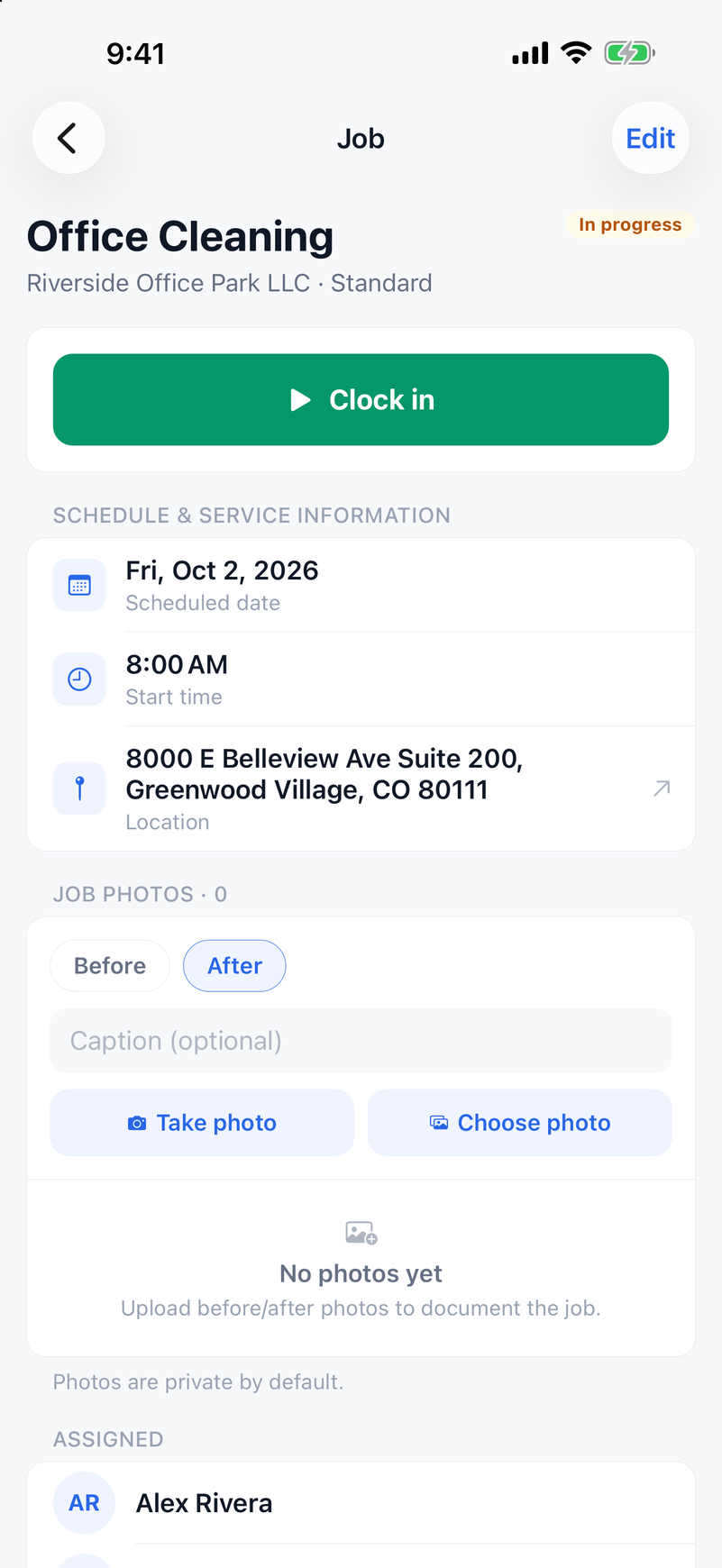
Crew members clock in from their phone on the job they're assigned to. With "Require GPS at job location" turned on, which it is by default and which only the owner can change, ValLedger takes a single location reading when they tap Clock in and checks it against the job's address. The server allows up to 200 meters. The web app warns at 150 meters, so people move closer before they hit the server limit, and a reading with an accuracy worse than 100 meters is rejected as too imprecise, so a rough Wi-Fi location can't slip through the fence by accident.
If a job has an address but no map coordinates yet, ValLedger tries to look them up on the spot. If it can't, it lets the clock-in through rather than stranding a worker over an address problem they didn't create.
On privacy: the phone reads its location for a moment when a worker clocks in or starts a job, and the job screen in the app can use a reading to show how far away they are. The only point ValLedger saves is the clock-in location, stored with the time entry. The app asks only for while-in-use location permission and doesn't follow anyone between punches. Clock-out doesn't record a location at all.
There's also an owner setting, "Allow Clock in from any location," that lets workers clock into any active client location without a scheduled job. Turn it off and they can only clock into jobs assigned to them. Be aware that the distance check applies to job clock-ins. Clocking into a location from that list doesn't check distance.
When the last worker on a job clocks out, the job is marked completed automatically.
Forgotten clock-outs
A worker with an open shift can't clock in again until it's closed. They get "Already clocked in. Clock out first." Owners and admins can edit or delete any time entry, from the web or the phone app. Workers can't edit their own times. Any edit to an entry removes the approval for that person's week, so you approve it again on the corrected numbers.
Hourly, per-job, and per-visit pay
Each team member is either hourly or per-job. Hourly pay uses the rate saved at clock-in, so a raise next month doesn't rewrite last month's hours. Per-job workers earn their per-job rate for each completed job they were assigned to and clocked into. You can set an optional weekend rate for jobs completed on Saturday or Sunday, and override the payout on an individual job.
Pay per visit is set on a client location. Each worker who clocks in there earns that flat amount once per day, whatever the hours. Leave it blank and that location pays hourly.
Pay rates, payroll, and pay runs are visible only to owners and admins. If someone has hourly time but no rate set, payroll says so by name instead of quietly showing zero.
Overtime by your state's rule
You pick the overtime rule in Settings: federal (over 40 hours in a Monday-to-Sunday week), Colorado (over 40 a week or over 12 in a day), California (over 8 in a day with double time past 12, over 40 a week, and the seventh-day rule), or over 8 a day or 40 a week. If you don't pick one, ValLedger uses the rule for the state most of your clients are in, and falls back to federal.
Overtime pay uses the regular-rate method above, for every way you pay. An hourly worker's overtime comes out to 1.5 times their rate. For per-job and per-visit pay, ValLedger divides the week's total straight pay by the hours worked and adds half that rate for each overtime hour, so a worker paid by the job who goes over 40 hours gets the premium they're owed. It's still worth a look at the timesheet before you approve, and if your state has rules beyond these, check them against the numbers.
Approval, pay runs, and pay day
Timesheets are weekly, Monday through Sunday in your business's time zone. You can approve one person or approve all pending at once, and export a week as CSV or PDF. A pay run can't be confirmed until every timesheet in its period is approved. When you confirm it, the server recalculates the period itself rather than trusting numbers sent from a browser, and saves a snapshot of each person's hours and pay.
ValLedger doesn't move money. You pay people however you normally do, then record it: Zelle, check, cash, direct deposit, or other, with the date and an optional reference. The run shows as paid or partly paid as you go.
For each person you can download a PDF pay stub with the period, their earnings lines, gross pay, and how and when they were paid. ValLedger can also email each worker their own stub when you mark them paid. That setting is off by default.
The important limit: ValLedger doesn't withhold taxes or deductions. Stubs show gross pay and say so. You still need a payroll service or accountant for withholding, tax filings, and year-end forms. ValLedger replaces the clipboard, the text threads, and the calculator, not your payroll provider.
Start with one honest week
You don't need software to fix most of this. Record hours in one place, when they happen. Look at every person's week before you pay it. Write down your state's overtime rule. If you pay per job, track hours anyway.
When the spreadsheet starts eating your Sunday nights, you can try ValLedger free for 14 days, no credit card required, and run one real week of clock-ins, approvals, and a pay run through it. There's more on the rest of the app for cleaning companies and landscaping companies.